Document Selector
The Document Selector is a function common to the query tool and several analysis tools. It allows you to select which documents your query or analysis applies to.
Default state
By default, the Document Selector is collapsed and targets all documents in your project.

Inputs
You can select which documents your query or analysis applies to by:
- Documents
- Tags
- Document types (video, audio, image, document, survey)
- Folder
TIP
You cannot simply drag documents directly from the Document Browser onto the Document Selector canvas. Instead, they must be dropped into a pre-existing Document node box on the canvas.
Operators
You can add logical operators into your document selection to refine it. Magnolia uses these logical operators:
| Operator | Output |
|---|---|
| Union | Selects documents from Input 1 and Input 2 |
| Intersect | Selects documents where both Input 1 and Input 2 are met |
| Subtract | Selects documents where Input 1 is met but Input 2 is not met |
TIP
You can use the output of any logical operator as the input to another logical operator.
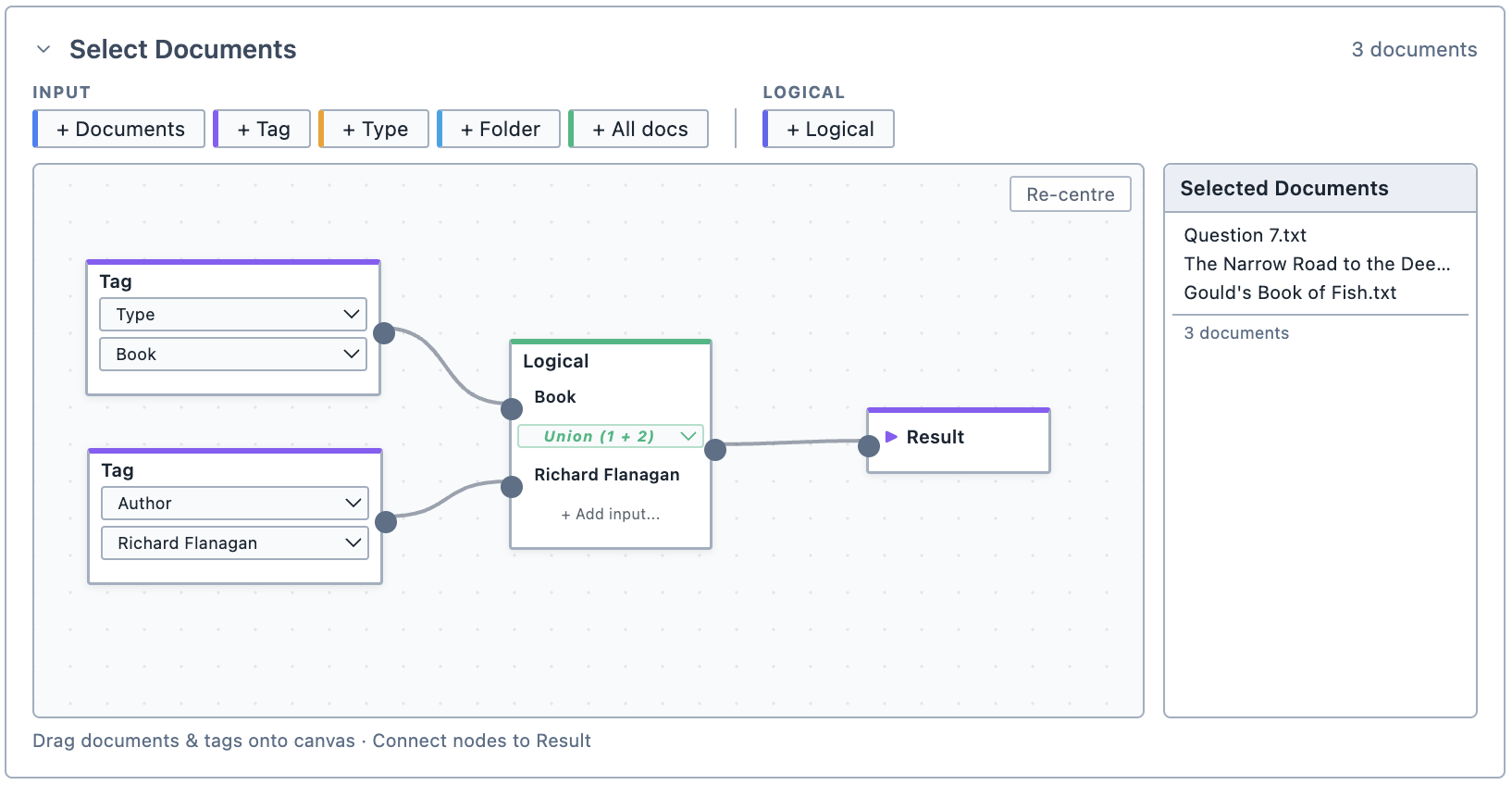
Selected documents list
For convenience, the Document Selector shows you which documents your selection targets.
TIP
Remember to connect your selection to the Result node box.